For teachers
A free word game for the classroom
Wordtide is a free word game that runs in the browser, with no accounts and no chat. Easy mode and Little Tide show no ads. Use it for a quick warm-up, for vocabulary practice, or with early readers in Little Tide.
Set up a class in a minute
Share a link. Put wordtide.app/play?daily on the board or in your class platform for the Daily Seven, or wordtide.app/play/journey for Solo Journey. There is nothing to install.
Play for ten minutes. Everyone plays on their own device, or pairs share one. Nobody signs up or logs in.
Talk about the words. Compare the best words on mini whiteboards. The result card shows only coloured squares, so you can talk about par without giving the letters away.
Why it works in class
- No accounts. Students open a link and play. Nothing to create, share or forget.
- Any device. It runs in the browser on Chromebooks, iPads, tablets, laptops and phones. No download, no install.
- Safe by design. No chat. Easy mode and Little Tide show no ads and no tracking. For the main game, use the link wordtide.app/play?easy to turn on Easy mode, with bigger letters and preset names for other players.
- Real dictionary. Words are checked against ENABLE, a public-domain word list, with our own blocklist for rude words.
- Accessible. Students can play with the keyboard alone, and there is a screen-reader mode, a colour-blind-safe palette, reduced motion, high contrast and read-aloud.
Three ways to use it
Daily Seven as a warm-up
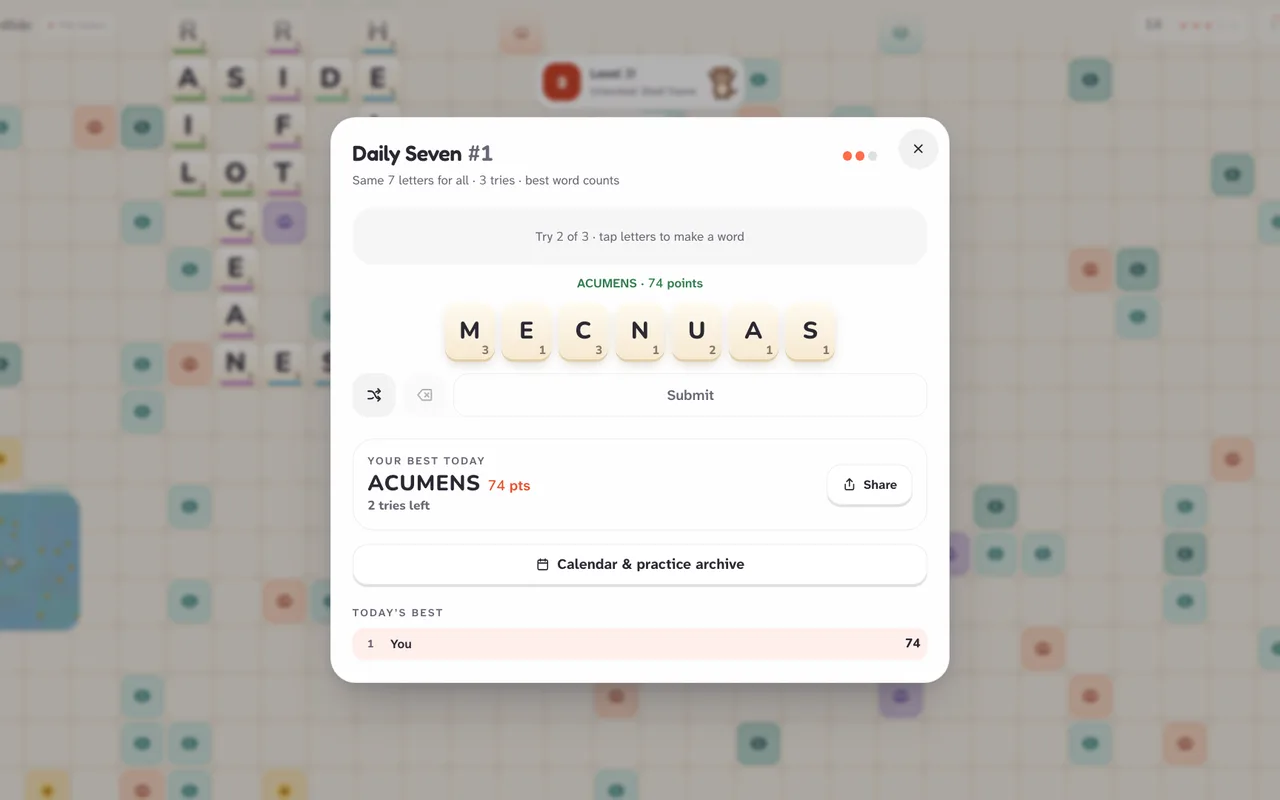
Every day, everyone gets the same seven letters. Students have three tries to find their best word, then see how they did against par. Because the whole class has the same letters, you can ask for the longest word, a word with a rare letter, or the word the class thinks is the best, then compare. The share result shows only coloured squares, so no one is spoiled.
Solo Journey for vocabulary practice
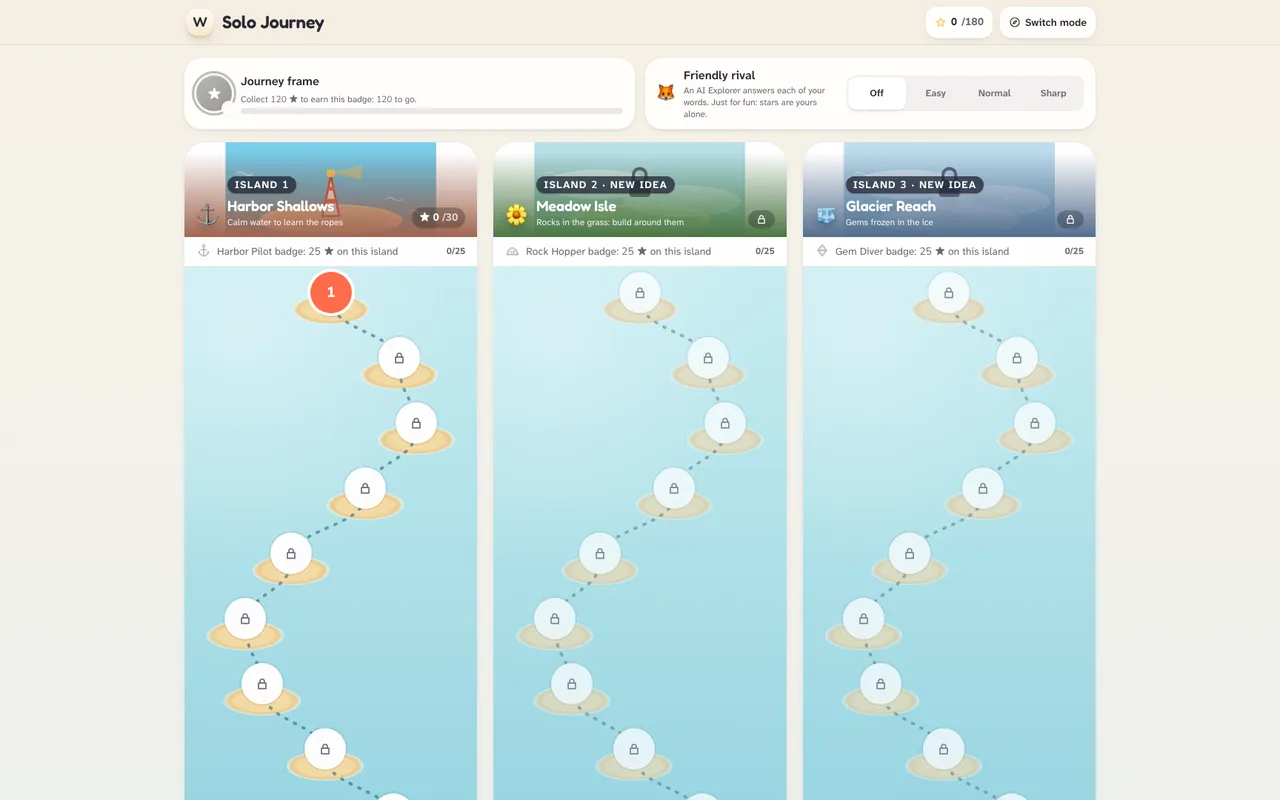
Solo Journey is 100 hand-made levels across 8 islands. Each level has a goal and a limited number of moves: reach a score, use a given letter, find a long word, cover gems, or find a secret word from a clue. Students plan their words, which means spelling, word-building and thinking about letter patterns. The Amber Dunes island hides a secret word in every level, and its clue makes a good short vocabulary lesson.
Little Tide for early readers
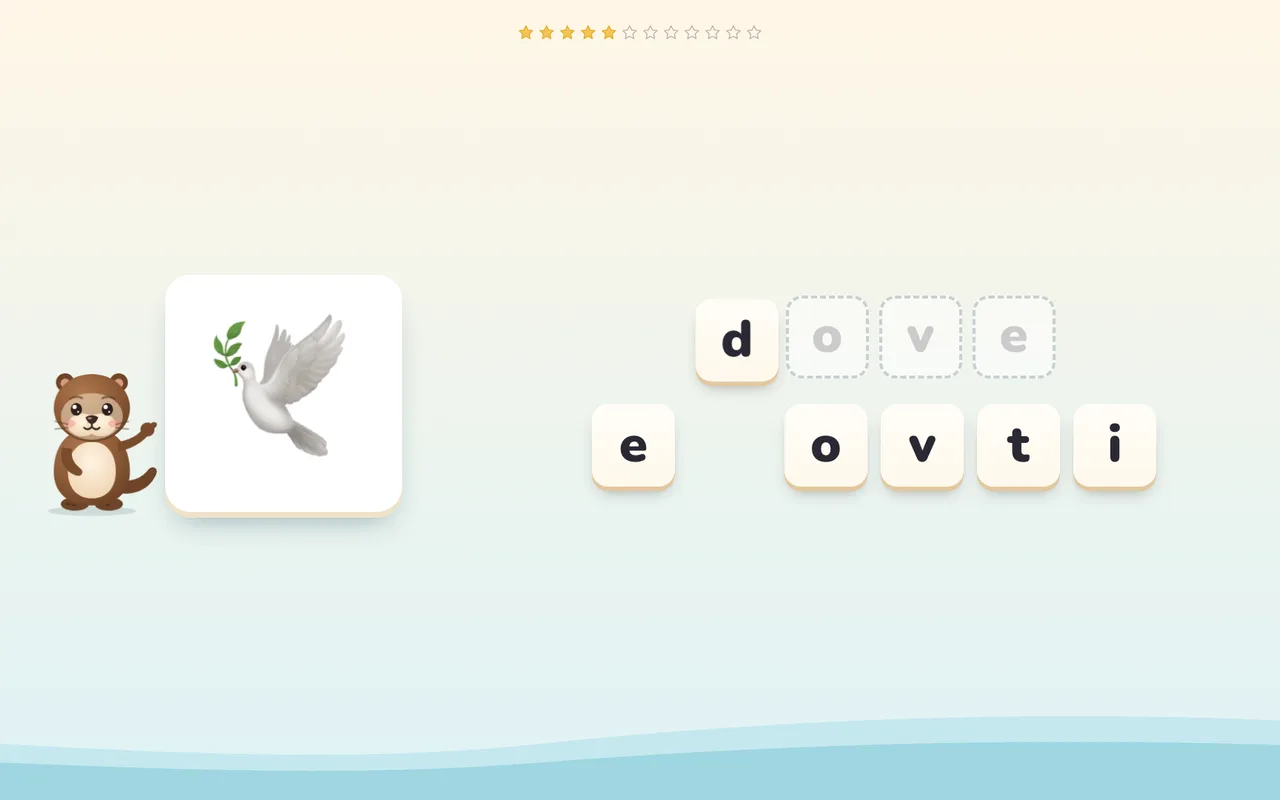
Little Tide is a picture-and-sound mode for ages 3 and up. Tidy the otter says letter sounds, children trace letters with a finger and spell picture words tile by tile. It suits phonics practice, letter formation and first words, and it has no timers and no way to fail. Use headphones or turn the voice off in the parent corner. See the parents page for more.
Ten-minute activities
1. Daily Seven warm-up
- Show the class today’s link. Everyone plays their three tries on their own device.
- Ask students to write their best word on a mini whiteboard.
- Share words and talk about why a word scored well: long, or rare letters?
2. Word-building pairs
- Pairs share one device and play a Solo Journey level together.
- Before each move, they both write down a word. They agree and play the best one.
- Finish with the stars they earned and one new word they learned.
3. Secret word detectives
- Open a level on Amber Dunes, where each level hides a secret word with a clue.
- Read the clue aloud together and brainstorm before anyone touches the tiles.
- Try the word. Talk about the clue and what it told you.
4. Sound hunt with Little Tide
- Children play a sound round with headphones, one letter at a time.
- Afterwards, ask them to find things in the classroom that start with that sound.
- Let them trace the letter on paper with a finger first, then with a pencil.
5. Daily Seven, longest word challenge
- Everyone looks for the longest word they can make from the seven letters.
- Compare. Which letters did the longest words share? Any prefix or ending?
- Use the result card to talk about par without ever giving the letters away.
Questions
Do students need accounts?
No. Open the page and play. There is no sign-up and we never ask for an email address, so there is nothing to set up or manage.
Does it work on school devices?
Yes. Wordtide runs in any modern browser, so it works on Chromebooks, iPads, tablets, laptops and phones. There is nothing to install, and you can add it to the home screen like an app if you like.
Is there chat, advertising or tracking?
There is no chat. Easy mode and Little Tide show no ads and send no analytics, and children’s profiles load no third-party trackers. In the main game players can only send fixed emoji reactions. Add ?easy to the address to show only preset names for other players.
Is it free?
Yes. It is free to play, with no subscription. Optional extras exist only for grown-ups, never in Easy mode or Little Tide.
Can the whole class play the same puzzle?
Yes. The Daily Seven gives every player the same seven letters on the same day, so a class can compare words and strategies. The share result shows only coloured squares, never the letters.
What if the internet is slow?
The Live World needs a connection. Solo play, which includes Solo Journey and Little Tide, keeps working offline after the first visit.
New to the game? Read how to play. For data handling, see our privacy policy.